Manage your marathon volunteers
On a marathon, volunteers are not in the same place and do not work the same hours: the aid station at 35 km opens when the one at 5 km has already packed up.
The course dictates the schedule
An aid station only exists while runners are going past, and that window shifts by several hours between the first and the last point on the course. Scheduling a marathon means scheduling thirty micro-events in sequence, not one uniform day.
Each point becomes a position, with its own hours and its own volunteer requirement: more people at 30 km than at 5 km. The detail is on teams and positions.
Marshals: the named list the authorities ask for
Marshals posted at junctions have to be declared by name, with their location. Because your list of assigned volunteers is complete and exports to Excel or CSV, that document takes seconds instead of being retyped by hand the week before the race.
And mail merge produces, from a Word template, each marshal's briefing sheet with their name, their junction and their hours: put on their personal page, or printed in a batch.
On race day, everyone knows where to go
Every volunteer has their page: position, hours, location, the name and number of their manager, and the documents you have given them. They read it on their phone that morning. Email campaigns also let you write at once to every volunteer in a sector. The only workable way to tell thirty points on a course that the timings have changed.
Every team has its own lead
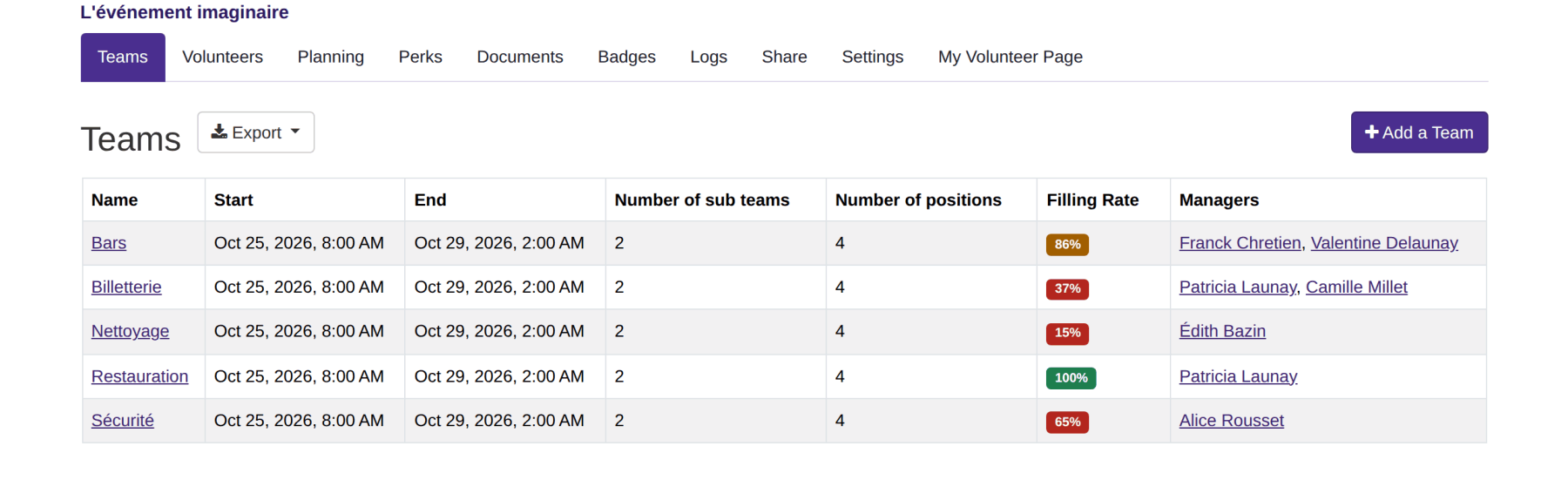
The event is split into teams: bar, welcome desk, security, set-up, shuttles. Each one goes to one or more leads, who create their own positions and assign their own volunteers without access to the rest of the organisation.
This page gives the filling rate of every team, and one click takes you down into the one that is stuck. You have nobody to ask to know where the event stands.
A position is a dated assignment
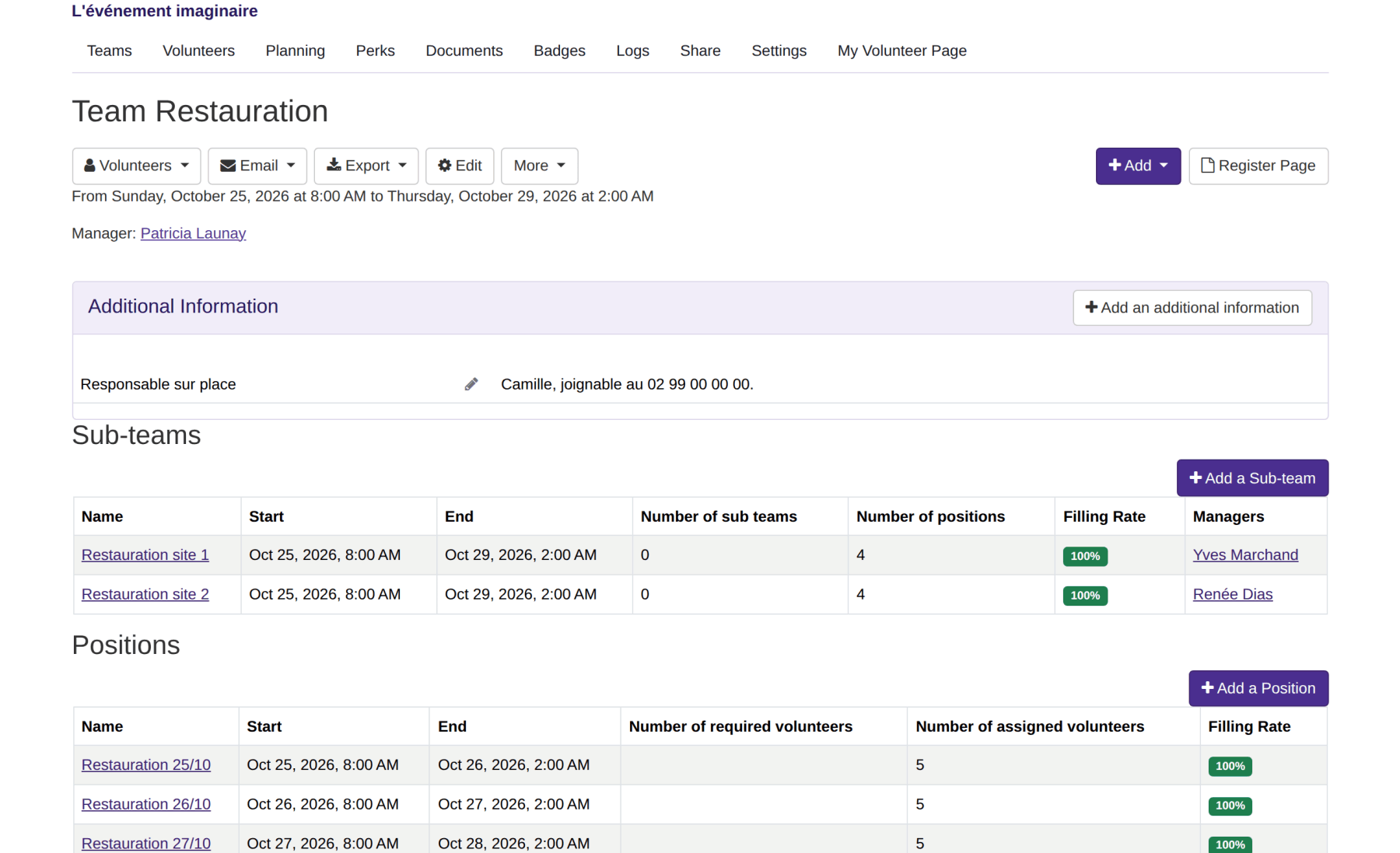
Inside a team, a position says what has to be done and between which hours: the Saturday bar, from 8am to 2am. A team splits into sub-teams where it needs to, by site or by day, each with its own leads.
The next edition is created from this one, with its teams, its positions, their hours and their requirements. You adjust what changed, the rest is already there.
Requirements are declared hour by hour
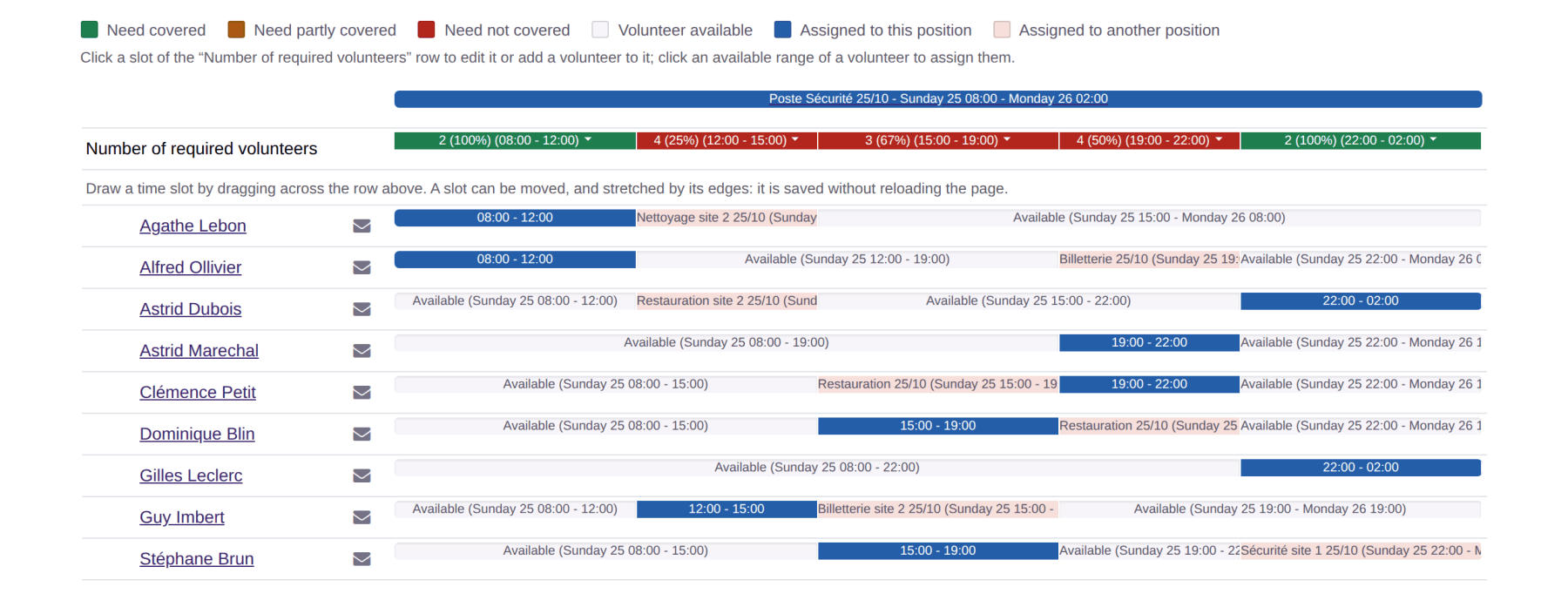
A position does not need the same headcount all day: two people from 8am to noon, four from noon to 3pm. The filling rate is read on those bands, and that is where a gap shows up while there is still time to fill it.
Opposite, every volunteer shows the availability they declared and the positions they already hold. An assignment that contradicts them is refused, every time, without you having to think about it.
Features
Volunteer registration
One public link, a QR code and a form that asks your own questions: applications arrive already sorted by preferred team and by availability.
Volunteer import and export
Bring your list in from a spreadsheet, as CSV or Excel, and take your volunteers, schedules and their answers back out whenever you want.
Volunteer tracking
Filter by status, team, availability or assigned position, choose your columns, and find each volunteer's full history.
Teams and positions
Split the event into teams and positions, hand each team to its lead, and say how many volunteers you need, hour by hour.
Volunteer scheduling
Assign people without ever creating a clash, follow staffing position by position, and send everyone their own schedule.
Shift booking
Let volunteers pick their own shifts, with substitutes and a waiting list, while you keep control of confirmation.
The volunteer's account
Every volunteer has their own page: their next shift, their hours, their documents, their perks, and their calendar up to date on their phone.
Emails to volunteers
Write in two clicks to a team, a position, unassigned volunteers or everyone, from reusable templates.
Documents and mail merge
Call-up letters, certificates, running sheets: one Word template, and one document per volunteer filled in with their details and schedule.
Badges and perks
Print badges with a photo and a QR code, and track the meals, drinks and t-shirts handed to each volunteer.
Attendance check-in
Record each volunteer arriving at their post and leaving it, by scanning their badge or from the shift page, and total the hours actually worked.
Volunteer groups
A partner organisation brings its own volunteers? Give it its own sign-up link and its own leads, without opening up the whole event.
A new edition every year
The new edition carries over teams, positions and hours shifted to the right dates, and last year's volunteers are invited back.
Volunteer data and GDPR
Hosted in France, a published processing agreement, and retention periods applied by code rather than merely announced.
Accessibility for volunteers
Measured screen by screen and published: 100% of the applicable RGAA 4.1 criteria, self-assessed, and a statement that also says what that does not cover.
Events of all sizes simplify their organisation with Volunteo

200 volunteers

600 volunteers

1000 volunteers

3000 volunteers
Frequently asked questions
How long does it take to set the race up?
A first edition takes an evening: the teams, the positions with their hours, then the sign-up link to circulate. Later editions are created from the previous one and carry everything over.
Can I check that a volunteer is really available at the time of the shift?
It is automatic: volunteers declare their availability when signing up, and the tool refuses an assignment that does not fit.
How do we handle volunteers who come as a club?
Volunteer groups give each club its own sign-up link and managers, who run their members without going through you.