
Emails to volunteers
The curse of volunteer organising is not a lack of information: it is information sent to everybody. The message that only concerns the bar crew lands in 400 inboxes, and soon nobody opens anything. Volunteo lets you write to exactly the people concerned.
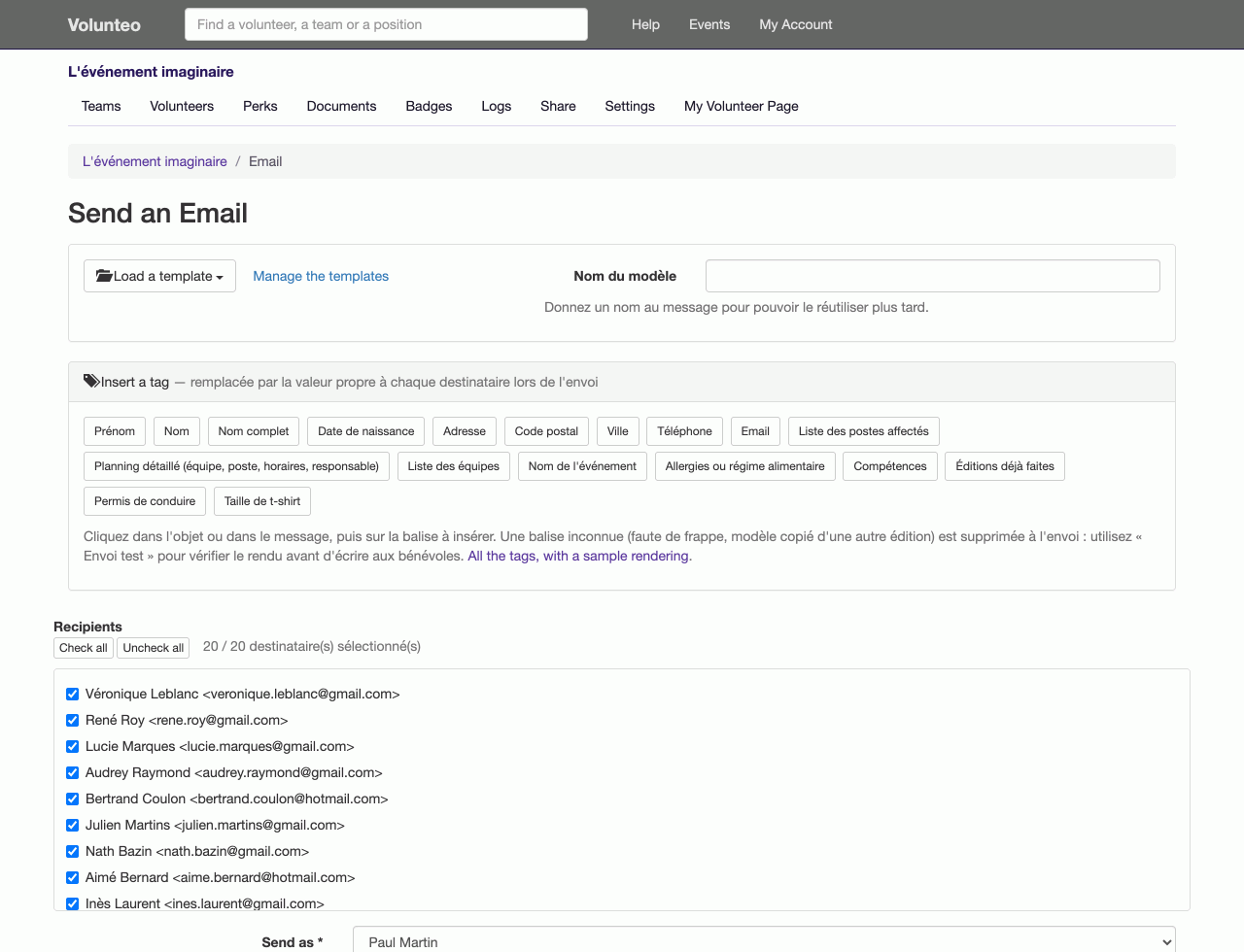
Target first, then write
From your volunteer list or from a team page, you pick your recipients:
- every volunteer on the event;
- those of one team, or of one specific position;
- team leads only;
- those not assigned anywhere: the single most useful reminder there is.
You write, you send. No export to a spreadsheet, no copy-pasting of addresses, no mailing list to maintain on the side: recipients are computed at send time from the actual state of the event.
Templates you write once
The same messages come back every edition: the confirmation, the call-up, the instructions the night before, the thank you. You save them as templates, with their subject and formatting, and reuse them, including next year, since they are copied along with the rest of the configuration.
The "Schedule" template is a case of its own, and the most requested: it sends every volunteer their schedule, with their positions, times and places. One send, a different content for each person.
Automatic emails, in your own voice
Volunteo sends some twenty emails on its own: volunteer accepted, declined, registered by an organiser, login link, shift added or removed, a notification to a team lead when a new volunteer arrives or a position is turned down…
Every one of them can be tailored for your event: you rewrite the subject and the text, with placeholders that insert the recipient's first name, the event name or the expected link. The tool checks that you have not removed an indispensable placeholder: a login email without a login link helps nobody.
This is what lets a charity keep its own tone and vocabulary instead of sending messages that smell of software.
Contact in the other direction
A volunteer has a question? Their page carries the contact details of their team leads, and each event can switch on a public contact form that writes to its organisers, not to the platform. Questions about your event reach you directly, because they were meant for you.
Going further
When an email no longer does the job (a signed call-up letter, a certificate, a running sheet to pin on a wall), you move on to personalised documents.
Frequently asked questions
Can I write to one position rather than the whole team?
Yes. Targeting goes down to the position: the Friday evening bar crew, without disturbing the Sunday one. You can also write to team leads only, or only to volunteers who are not assigned anywhere yet.
Can the platform's automatic emails be edited?
Yes, one by one and for your event alone: subject and body. The indispensable placeholders (a login link, for instance) have to stay, and the tool warns you if you removed one by accident.
Do I have to rewrite the same messages every year?
No. Email templates belong to the edition and are copied to the next one, like teams and positions. The call-up message you polished this year will be waiting for you next year.
Read next
Documents and mail merge
Call-up letters, certificates, running sheets: one Word template, and one document per volunteer filled in with their details and schedule.
Badges and perks
Print badges with a photo and a QR code, and track the meals, drinks and t-shirts handed to each volunteer.
All features
- Volunteer registration
- Volunteer import and export
- Volunteer tracking
- Teams and positions
- Volunteer scheduling
- Shift booking
- The volunteer's account
- Emails to volunteers
- Documents and mail merge
- Badges and perks
- Attendance check-in
- Volunteer groups
- A new edition every year
- Volunteer data and GDPR
- Accessibility for volunteers