
Volunteer scheduling
Building a volunteer schedule means crossing three constantly moving constraints: what the positions need, when people are around, and what they would like to do. Volunteo keeps all three current and stops you from contradicting yourself.
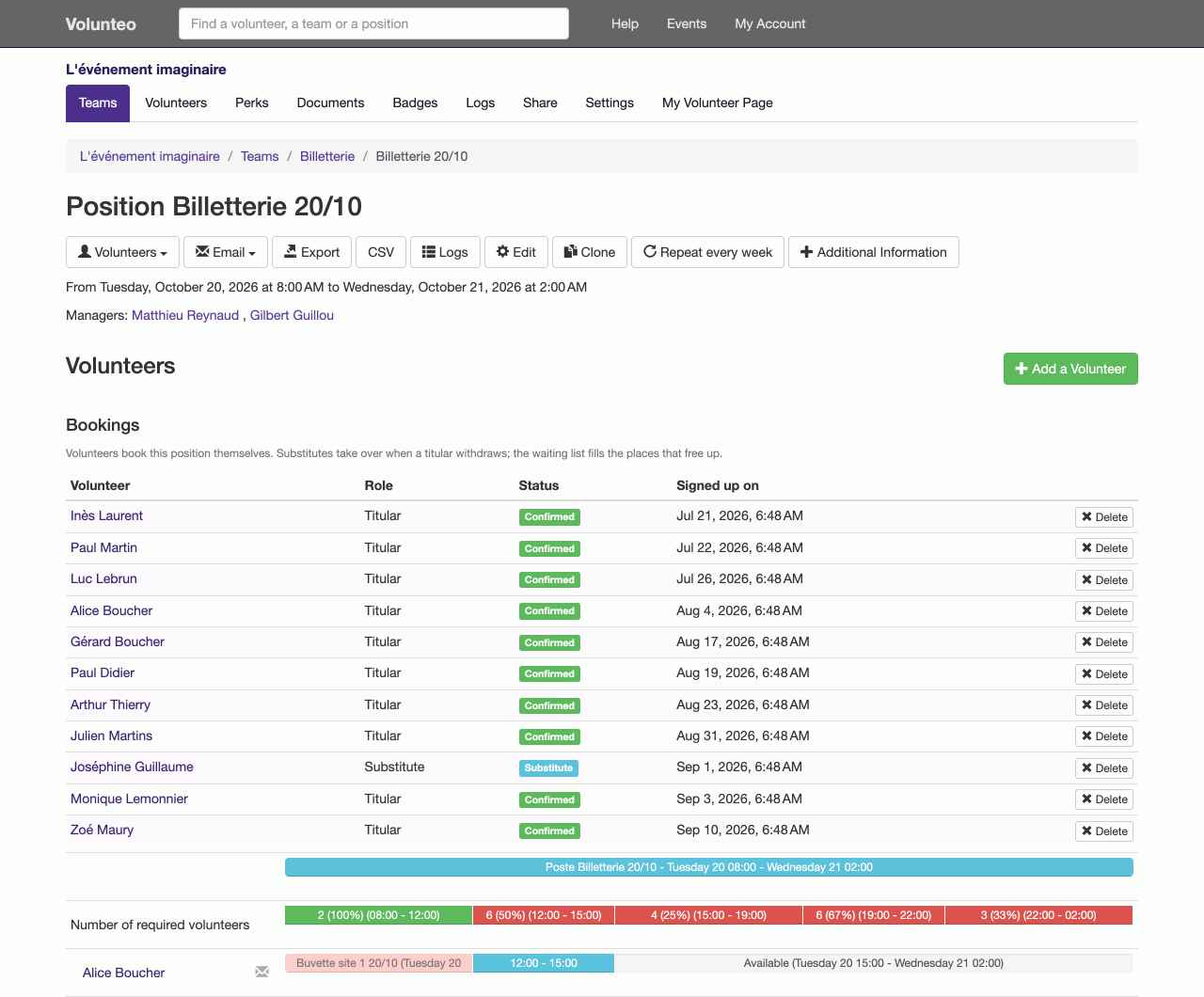
Assigning without clashes
On a position you see the need hour by hour and the places left. Facing it, the list of volunteers who are genuinely available for that slot: those who said they would be there, who are not already busy elsewhere, and (if you wish) those who asked for this team.
In other words, a clash is not flagged after the fact: it is impossible to create. This is the kind of guard rail whose worth you measure the day two leads assign the same person at the same time, each on their own side, in two different teams.
Seeing what is missing, while there is still time
The fill rate rolls up from position to team and from team to event. At any moment you know which time ranges are still short: traditionally Sunday morning and the get-out. You can then write to exactly the right people: those who are available and not yet assigned, rather than a general appeal that wears everyone down.
Each volunteer's own schedule
A volunteer does not need your master schedule: they have their own. Their page lists their positions, times, places, the related instructions and the contact details of their leads. They check it on their phone, on the day, without calling anyone.
You can email that schedule from a reusable template, or print it as a personalised call-up letter that picks up their assignments automatically.
Last-minute changes
There will be some. A volunteer drops out, the weather pushes the set-up back, a position splits in two. Assignments can be changed at any time: the place frees up, staffing is recomputed, the volunteer's page changes, and the history keeps track of who did what. Nobody works from a stale copy of the schedule, because there is only one copy.
What if volunteers choose instead?
On many events (and on almost every regular charity activity), it is simpler to let people take the shifts that suit them. That is possible, with substitutes and a waiting list: see shift booking by volunteers.
Frequently asked questions
How are double bookings prevented?
When you place a volunteer on a position, the tool looks at their declared availability and at the positions they already hold. Someone who is away at that hour, or already busy elsewhere, is not offered. The check runs on every assignment, not in a final verification you forget to launch.
Can a volunteer turn an assignment down?
Yes. From their own page they can decline a position and give a reason; the team lead is told and the place frees up. Far better to learn it three weeks ahead than on the day.
Can the schedule be exported to a spreadsheet?
Yes. Volunteers, their details and their assignments export to a spreadsheet, for printing, for access control at the gate, or to feed your own tools.
Read next
Shift booking
Let volunteers pick their own shifts, with substitutes and a waiting list, while you keep control of confirmation.
The volunteer's account
Every volunteer has their own page: their next shift, their hours, their documents, their perks, and their calendar up to date on their phone.
All features
- Volunteer registration
- Volunteer import and export
- Volunteer tracking
- Teams and positions
- Volunteer scheduling
- Shift booking
- The volunteer's account
- Emails to volunteers
- Documents and mail merge
- Badges and perks
- Attendance check-in
- Volunteer groups
- A new edition every year
- Volunteer data and GDPR
- Accessibility for volunteers